Appearance
Using Status Bar
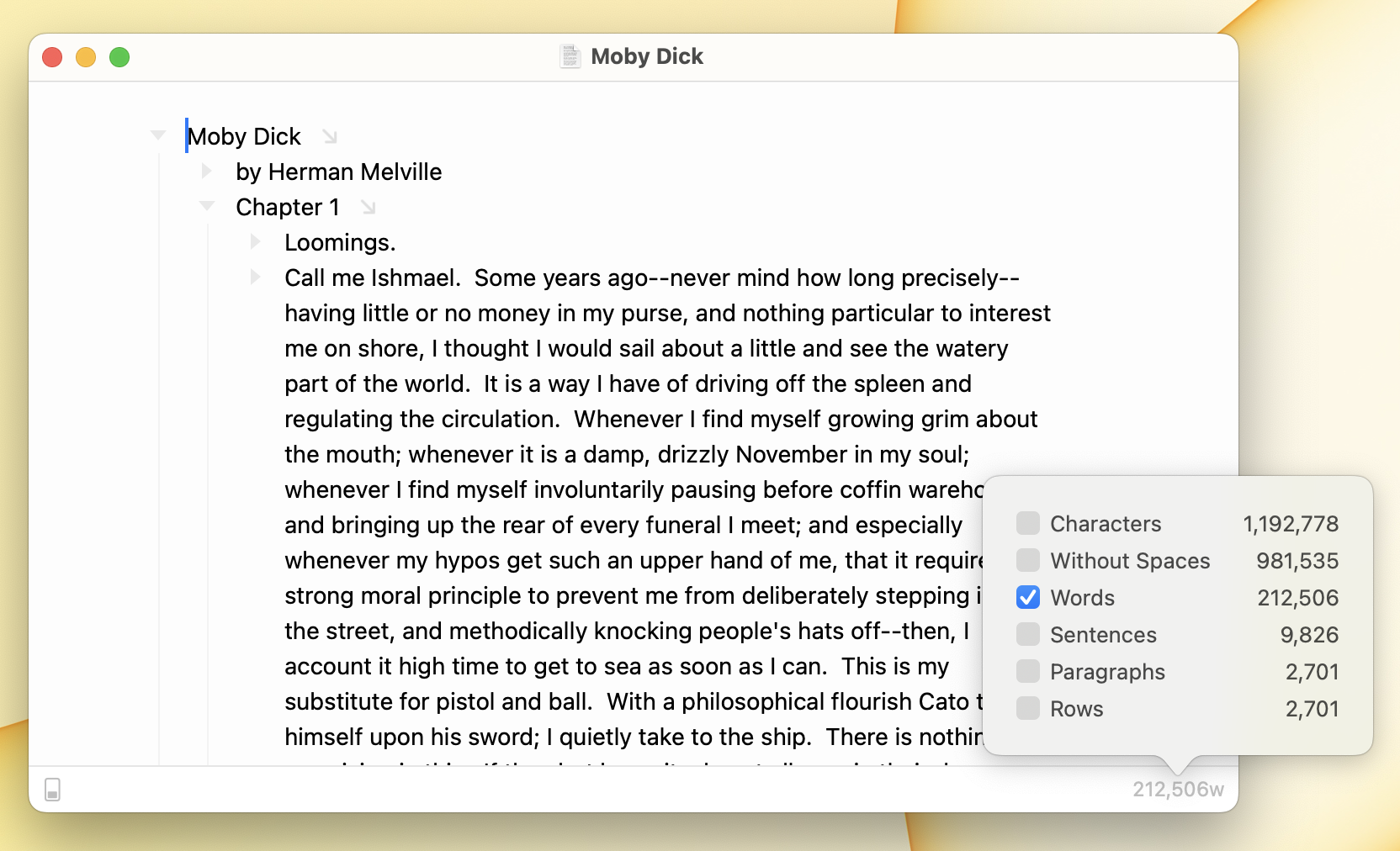
Bike's optional status bar, at the bottom of the window, gives you quick access to editor settings, the row type picker, and text statistics. I keep it on when I'm writing toward a length. It puts a word count and the controls I reach for most within a glance and a click, without opening any menus.
To show the status bar
- View > Show Status Bar (Command-/)
To hide the status bar
- View > Hide Status Bar (Command-/)
Editor Settings
The editor settings button is on the left side of the status bar. Click it to access writing focus mode, typewriter mode, and a zoom slider for adjusting the editor's font size. When any of these settings is active the button lights up.
Text Statistics
Text statistics are shown in the status bar. Click the text statistics area to configure which statistics are displayed. Available statistics include:
- Characters
- Without Spaces
- Words
- Sentences
- Paragraphs
- Tasks
- Reading Time
- Speaking Time
If no statistics are visible to click in the status bar then use View > Text Statistics to show the statistics popover.
Row Type Picker
The current row's type is indicated in the status bar. Click the row type indicator to change the type of the selected row.